Every person who works in the Architecture, Engineering, and Construction (AEC) field has to answer the same basic question: Which tool do you use when the deadline is coming up and the work is getting harder?
There has been a long-running argument between AutoCAD and Revit, but the topic has shifted a lot in 2025. It’s not just a matter of whether features are better; it’s a strategic choice that will affect how well you work, how much money your project makes, and, most crucially, the direction of your career FUTURE. To really MASTER your creative workflow, you need to know what each piece of software does best in today’s high-tech world.
This deep-dive isn’t meant to pick a “winner,” but to provide you a SMART plan for how to use both tools in 2025 and beyond.
Why the Old Argument Is Over: CAD vs. BIM
The biggest distinction between AutoCAD and Revit is still the way they work. The first step to really mastering something is to understand this difference.
The Precision 2D Swiss Army Knife is AutoCAD
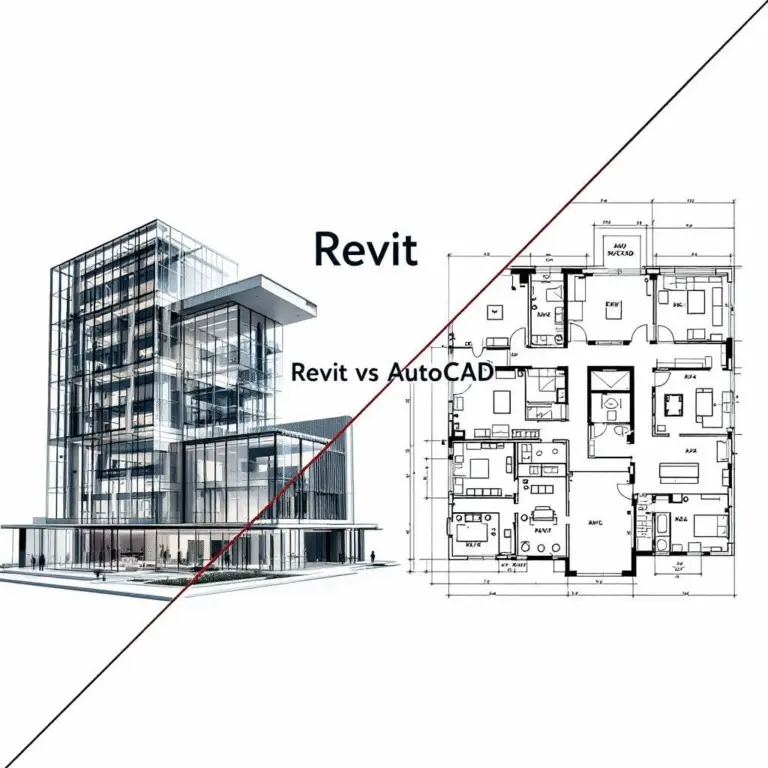
The old Computer-Aided Drafting (CAD) program AutoCAD is made for precise drafting in two dimensions. It treats geometry as lines, arcs, and circles, which lets you make intricate, isolated pictures faster and with more control than ever before. For decades, it has been the standard for the industry in terms of clarity and correctness. In 2025, its strength is that it can quickly draft documents and work with old file types.

Thanks to these features, Revit can be used as a Building Information Modeling (BIM) tool, something not possible with AutoCAD.ĭo you need to update the construction documents of a building?
Revit: The 3D Digital Twin with a Lot of Data
Building Information Modeling (BIM) is the basis for Revit. When you build a wall in Revit, you’re not just drawing four lines. You’re making a parametric object with built-in information about its thickness, material, fire rating, cost, and thermal qualities. This lets Revit make elevations, schedules, quantities, and realistic 3D models all from one source file. This way of starting with data is very important for managing big projects today.

Revit 2025
Where AutoCAD Will Still Be the Best in 2025
Even though the industry is moving toward BIM, AutoCAD is still very useful. It is still the best tool for some jobs, which saves pros a lot of time.
Quick Sketches and Diagrams of Ideas
AutoCAD is the best program for architects who need to quickly draw up a simple floor plan or system flow without the extra work that comes with BIM data. Its easy-to-use UI and simple 2D tools cut down on the time it takes to go from idea to draft.
Drafting of Detailed Components
AutoCAD’s pure drafting environment gives you fine control when a project needs very particular, non-standard elements, such custom millwork, customized architectural details, or very unique mechanical connections. Designers typically send complicated Revit parts to AutoCAD to do the last, very small details that require perfect line work.
Working With Old and Outside Files
A lot of old projects and consultant files still use the .dwg format. AutoCAD makes it easy to open, modify, and integrate these files without the risk of translation problems that might happen when you bring 2D geometry into a 3D BIM environment. In a lot of city offices, you still need to provide a clean AutoCAD file to get your final permit.
How Revit Will Affect Your Career in the Future
Revit’s strength is in line with the most important themes in the AEC sector in 2025: sustainability, working together across disciplines, and making things more efficient through automation.
Working Together Across Disciplines
Revit’s main selling point is that it lets you put together models from structural engineers, mechanical, electrical, and plumbing (MEP) engineers, and architects into one file. This makes it easier to find clashes right away, which cuts down on expensive mistakes and rework on the job site. Revit’s collaboration tools are a must-have for any complicated project, especially in the commercial and infrastructure fields.
Design and Sustainability Based on Data
Revit is the best BIM program for data. It uses the model’s built-in material data to do energy analysis and studies of sustainability. Tools that can measure and improve environmental performance, such the ones needed for Architecture 2025 projects that focus on mass timber or lower embodied carbon, are becoming more important for meeting government and client requirements and gaining a competitive edge.
Automating Paperwork
The ability to automatically create documentation is a big time-saver in Revit. Changes to the 3D model are shown right away on floor plans, sections, elevations, and quantity schedules. This gets rid of the tiresome manual coordination that AutoCAD requires, which is quite useful for companies that prioritize speed and precision. To get a high-paying job as a BIM Manager, you need to be able to use this technology.
Picking Your Path: BIM Manager or Draftsman
In 2025, the employment market will clearly show the difference between jobs that need CAD skills and those that need BIM skills.
AutoCAD skills are important for entry-level jobs like Drafter or Technician, which are praised for their speed and attention to detail. However, Revit abilities are generally required for higher-level jobs like BIM Coordinator, BIM Manager, or Project Architect, which lead projects. These jobs are all about making sure the digital twin is safe, monitoring the flow of information, and working with teams.
It’s evident that the money is a big reason: professionals who are trained in Revit and BIM generally make more money since they have the sophisticated abilities needed to manage data, coordinate work, and lead big projects. Putting money into Revit training now is like putting money into the FUTURE of the best designers.
The Last Decision: The SMART Dual-Tool Strategy
There is a SMART response to the question “which is better”: both.
The best, highest-paid, and most efficient professionals in 2025 will know how to employ both strategically. They utilize Revit for modeling that takes into account all aspects of a project and for coordinating work between different fields. When they need speed and full control over very detailed 2D graphics, they switch to AutoCAD.
You shouldn’t have to pick between them if you want to MASTER your design FUTURE in this fast-paced field. Instead, you should try to use each tool’s strengths in a smart way, picking the proper software for the job.
In 2025, learn Revit for BIM and combine it with what you already know about AutoCAD. That ability to do both is the most important thing you need to do to become an essential part of the ever-changing world of design and construction. If you want to stay ahead of the game in your field, you need to embrace the BIM revolution without giving up the accuracy of CAD.
For mor blogs like this CLICK HERE!!
Reference