The Student Architect’s Financial Reality: Putting in Time, Not Money
Every architecture student knows how hard it is to stay up late, meet tight deadlines, and pay for expensive software licenses. The programs that your future job employs are typically too expensive for a student budget because they charge yearly fees. This money problem can make you less likely to try new things and slow down your skill development.
But here’s the best news: you don’t have to spend a lot of money to learn the skill.
Accessibility has become a part of the world of architectural technology. Big companies and strong open-source communities both provide students with sophisticated, feature-rich tools that are absolutely free. This tutorial will help you construct a professional-grade toolset for free that will help you learn, compete, and really unlock your potential without spending a lot of money. We sort these products by the stage of the architectural workflow so that you can be sure you have the proper software for every step of your design process.
The Foundation: Mastering BIM and Technical Drawing
An architect’s design is based on accurate and smart data. 2D CAD is the basic skill, but professionals need to learn BIM (Building Information Modeling) as well. This method lets you model in 3D and make smart 2D documents at the same time.
Autodesk’s Educational Suite is the Gold Standard
The Autodesk Education Program is the best free resource for anyone who wants to be an architect. This gives you a one-year membership to all of their professional software, including Revit and AutoCAD, that you may renew.
Revit is the BIM Powerhouse: It is the world’s most widely used BIM software. If you learn it now, you’ll be more likely to get a job right away. It lets you make a digital model of a building that has a lot of information in it, such the materials, amounts, and schedules.
The student edition works exactly the same as the professional version, but you can’t use it for work that makes money. This free access will completely revolutionize the way you learn about technology.
AutoCAD for Precision: Even if BIM is more popular, AutoCAD is still the best program for complicated 2D detailing, plotting, and sharing data with consultants. If you have access to the complete edition, you will learn the language of technical construction documents.

The Open-Source Challenger and Archicad
Graphisoft’s Archicad is a strong competitor to Revit, especially in Europe where it is known for being easy to use and supporting OpenBIM workflows. It also has a free full-version student license, which is a great way to learn more about BIM.
FreeCAD is an excellent open-source parametric modeler for students who want real software that doesn’t require a license. It has a specialized BIM workbench and is great for students who want to learn about completely open, configurable software, even if it has a steeper learning curve than commercial options.

FreeCAD: Your own 3D parametric modeler
Conceptual Design: How Fast You Can Sketch in 3D
Before you start writing documentation, you need a quick, easy-to-use tool for coming up with ideas, putting them together, and testing them. At this point, it’s all about being creative and quick.
SketchUp Free: The Easy Way In
SketchUp Free is probably the simplest 3D modeling program to get the hang of. It runs completely in your web browser, so you don’t have to install anything. It’s easy to use and great for short massing studies and conceptual modeling.
The Limitation Caveat: The free web version is great for basic geometry and getting to the 3D Warehouse component library, but it has some important limitations compared to the paid Pro version.
For example, you can’t use extensions (plugins), you can only export in certain formats, and you can’t import professional CAD (.DWG/.DXF) files. Even so, it is still an important tool for early spatial studies.

SketchUp: 3D Design Software – Bring Your Vision to Life | SketchUp
Blender: The Sculptor That Is Completely Free
Blender is the best program for making 3D stuff that is completely free and open source. You can model, sculpt, and render all in one place, and it’s free.
The Double-Edged Sword: Blender is more powerful than anything before, with tools like Geometry Nodes for complex parametric modeling that were only available in expensive plugins before. But because its interface is customized and not standard, it has a reputation for being hard to learn. Students that are willing to learn Blender, on the other hand, are expected to become experts in complicated, non-rectangular shapes that go beyond what traditional CAD can do.

The Wow Factor: Seeing Things in Your Mind and in Real Time
You need visualizations that convey the experience of the room to make your design genuinely stand out. The good news is that the top tools in this area are also free for students, so you can make beautiful, photorealistic outputs for your portfolio.
Twinmotion: The Generator of Immersive Experiences
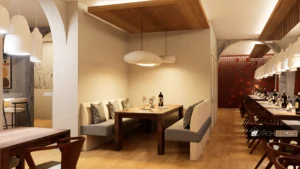
Epic Games’ Twinmotion is a professional-grade, real-time visualization tool that students and teachers can use for free. Because it is fast and easy to use, it has quickly become a favorite in the business.
Key Benefit: In just a few minutes, Twinmotion turns your BIM or modeling files into beautiful, dynamic worlds. You can build a strong mood right away with its huge library of assets (trees, automobiles, animated people) and changing weather systems. This makes it great for quick client feedback, animation walkthroughs, and immersive VR experiences.

Twinmotion | A Cutting-Edge Real-Time Visualization Tool – Twinmotion
Ray Tracing for Everyone with D5 Render
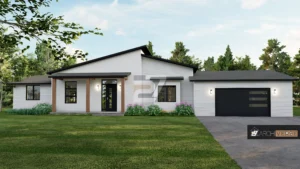
There is a very liberal free “Community” version of D5 Render. It uses new ray tracing technology to make lighting and reflections look real in real time. It competes with older engines, but it works much faster. D5 is quite popular because it has high-quality output and a modern, easy-to-use interface that students can learn quickly.
Making Your Reliable Student Toolkit
The best students and young architects don’t just use one application; they use a trustworthy, well-thought-out mix of tools. You should try to use a BIM tool for accuracy, a rapid modeler, and a high-impact renderer all at once.
Two Great Ways for Students to Work:
For the professional path: Use Revit for BIM and documentation, SketchUp Free for quick concept massing, and Twinmotion for final visualization and walkthroughs. This is like the way a professional studio works.
The Freeform/Open-Source Path: FreeCAD (for open-source BIM and technical design) and Blender (for complicated modeling and the best rendering with Cycles). This path is great for students who are really motivated and want to be free to be creative.
By carefully choosing and mastering these top free tools, you can save thousands of dollars and also obtain the wide range of technical skills that businesses value most. Use your time wisely; your future career potential is ready to be unleashed!
For more blog like this CLICK HERE!!
Reference:
Free Architecture Design Software for Students | Snaptrude for education
Best Architectural Software for Students in 2025 | illustrarch