The Digital Renaissance of Design: An Introduction
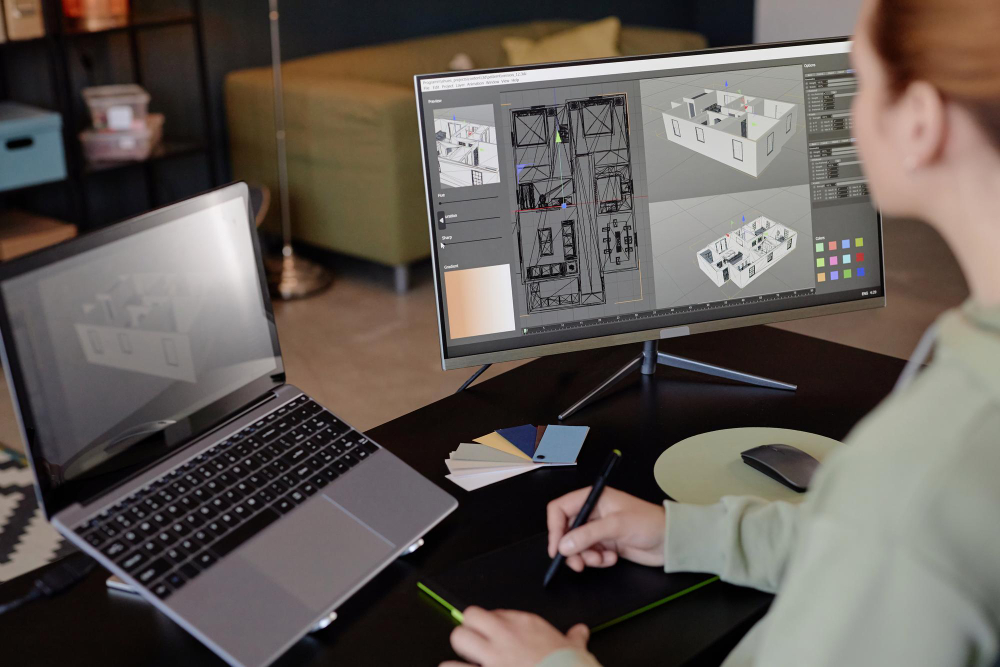
Architecture has always been about turning a creative idea into a tangible thing. Today, a great set of computing tools works well with and frequently beats the pencil and paper. These programs not only speed up drafting, but they also change the way we think. They let us design, simulate, and experience structures before the first shovel breaks ground.
For today’s architects, learning how to use these digital tools is the most important thing they can do to get the most creative freedom and professional efficiency. This is a list of the ten most significant software tools that help architects work more efficiently, collaborate together, and, most importantly, achieve their most ambitious creative vision.
The BIM Foundation: Smart Building
Building Information Modeling (BIM) is more than simply 3D modeling; it’s the smart way to make and keep track of all the information for a building project. These tools are what make modern, collaborative design possible.

Image Source: Autodesk
1. Revit by Autodesk
When it comes to BIM, Revit is the clear winner. It lets architects, engineers, and contractors all work on the same model at the same time. When you alter a door in a Revit model, every design, schedule, and section view is automatically updated. This parametric feature saves hundreds of hours and almost completely gets rid of coordination mistakes, giving you more mental space to think about design in more depth. It is the base for delivering big, complicated projects.
2. Graphisoft ArchiCAD
A powerful BIM system made by architects for architects. People often say that ArchiCAD’s interface is more like a natural design workflow than those of its competitors. It supports the OpenBIM philosophy, which means it works well with a wide range of other programs and fields. If your company values a smooth, architect-centered creative process, you need ArchiCAD.
Coming up with Ideas and Finding Forms
In the early stages of design, you need to be able to change things quickly and easily. These instruments are like a sculptor’s clay in the digital world.

SketchUp for Builders
3. SketchUp
SketchUp is still the best program for quick and easy conceptual design. The “Push/Pull” method is easy to use and lets architects quickly turn abstract concepts into real 3D massing studies. It is the fastest way to see volume and light. Even though it’s not a BIM tool, it’s great for quickly making prototypes and talking to clients early on because it’s so easy to use and has a huge library (the 3D Warehouse).
4. Rhino 3D
Rhino is the best tool for architects who have to deal with complicated curves, organic shapes, and non-linear forms, like the ones Zaha Hadid likes. Rhino employs NURBS (Non-uniform Rational B-Splines) geometry instead of box-based modeling. This gives it the accuracy it needs to model complex, flowing surfaces that can’t be built using traditional approaches.
5. Grasshopper (a plugin for Rhino)
Grasshopper is a visual programming language that works with Rhino to let you do parametric and algorithmic design. Instead of modeling objects directly, it lets architects set rules and relationships. This means you can make a dynamic facade and then alter one slider to instantaneously create hundreds of variations that work best for things like sun exposure or material efficiency. It’s a great tool for creative computing.
Visualization: Making Dreams Come True
Presentation is really important. These rendering engines and 3D modeling platforms make sure that your 2D designs come to life in a way that is photorealistic and fully immersive, capturing the client’s vision.

Lumion View
6. Lumion
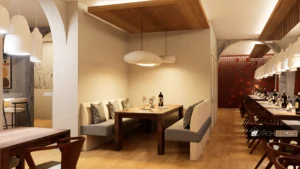
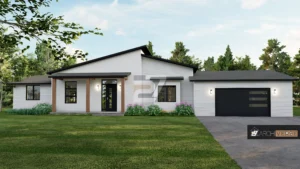
By making it real-time, Lumion has changed the way architects render buildings. In the past, rendering took hours. With Lumion, you can get amazing, photorealistic visuals and animations in just a few minutes. Its huge collection of materials, natural assets, and animated creatures lets designers rapidly define the mood and feel of a room, making it great for presentations that get clients involved.
7. V-Ray
V-Ray is the rendering engine plugin that most people in the industry use. It works with a lot of host platforms, such as SketchUp, Revit, Rhino, and 3ds Max. It is very valuable since it looks authentic and knows how to use superior lighting and material properties. V-Ray gives you the most control and sophistication for the best, competition-winning photorealistic output.
8. Autodesk 3ds Max
3ds Max is the best program for making thorough walkthroughs and dramatic architectural narratives. It is mostly used for high-end visualization, animation, and video game creation. It can model well, but its real strength is in lighting, materials, and complicated rigging that make amazing visual effects.
Drafting and Final Touches
2D documentation and interesting presentation boards are still important for communication and building, even in a 3D world.
9. AutoCAD
AutoCAD is the old-school standard in the business and is still an important tool for accurate 2D drafting and technical detailing. BIM software automatically manages paperwork, although AutoCAD is still extensively used for consultants’ drawings, site plans, and final construction document sets. This makes sure that every detail is presented clearly and accurately.

AutoCAD Image Source: Autodesk
10. Adobe Creative Suite, which includes Photoshop and Illustrator
An architect’s creative life goes beyond only making 3D models. Photoshop is very useful for adding people, sky, background, and atmospheric effects to renders after they have been made to make them look real. Illustrator is the best program for making clean, professional-looking presentation boards and graphic layouts that clearly show the project’s vision.
Conclusion
The best architecture software tools don’t limit you; they help you do things better. They let you automate the boring stuff so you can use your brain and enthusiasm on the creative challenge. You may greatly increase your productivity, work better with others, and make sure that your architectural vision is not only realized but also completely transformed by adding these ten platforms to your professional arsenal. Use these tools and start making your creative future today.
For more blogs like this CLICK HERE!!
Reference
The Best Architecture Software for Beginners & Students
10 Top Software for Architectural Design In 2025